



AI CONSULTING
Revolutionize your business with forward-thinking AI solutions
We help you cut through the noise to find AI tools that actually work for your business.
Increase efficiency and scale operations with a clear, expert-led strategy.

TURN YOUR VISION INTO REALITY
Discover Our AI Consulting Services
Whether you’re building an AI strategy or ready to move forward with a solution, we can help at any stage of your journey.

AI Assessments
Evaluate your business and processes to discover which areas could benefit most from AI implementation.

AI Strategy & Roadmaps
Create a detailed plan for success and determine how you can use AI most effectively and efficiently.

AI Empowerment
Make it easy to adopt AI within your teams and processes by leveraging stand-alone and integrated tools.

AI Solution Design
Map out key structural elements, functionalities, planned integrations, and other aspects of your AI solution.

AI Software Development
Build a custom AI solution that aligns with your business’s specific needs and workflows.

AI Integrations
Seamlessly incorporate AI tools into your business environment for increased productivity and efficiency.

AI-Powered Automations
Create intelligent automations that save time, simplify processes, and improve the value of your product or service.

AI Analytics
Identify hidden insights, enhance predictive power, and engage with your data through natural language processing.
Key Platforms & Partnerships
We work with a wide variety of AI platforms and can recommend the best solution for your needs.
CoPilot Studio
A platform to create custom AI assistants using Microsoft’s Copilot technology, integrating data, workflows, and automation.
Microsoft AI Builder
A low-code tool that allows users to add AI capabilities to their business processes and applications without requiring data science or coding skills.
Azure AI Services
Ready-to-use tools that let developers add smart features like computer vision, speech recognition, and decision-making to their apps and websites.
Tawk.to
A free live chat and messaging platform for websites that enables real-time communication with visitors and customers.
Benefits of AI Consulting & Usage
Understand how AI can transform your business and create measurable outcomes.
Efficiency Gains
AI automates manual, time-consuming tasks, freeing your team up for more fulfilling work.
Greater Accuracy
Flag issues, reduce errors, and improve data processing in real time with AI-driven analysis.
Enhanced Decision-Making
Gain greater visibility into your operations and market by leveraging AI to analyze data, recognize patterns, and predict results.
Reduced Costs
Identify errors, optimize processes, and improve decision-making with AI to help your business lower costs.
Service & Product Improvements
Facilitate improvements in current offerings and build competitive advantage by drawing on AI suggestions.

HANDS-ON & BUSINESS-FOCUSED
Our Approach to AI Consulting
We follow a thorough consulting process that drives collaboration and success.

Listen
It all starts with a thoughtful discussion—we work to understand your business, needs, and AI goals.

Assess
Next, we align your needs with the right AI solutions to achieve your vision.

Recommend
Our team shares the best strategies and solutions for your particular business.

Adopt
It doesn’t end there—if you need help ensuring smooth AI adoption and training, we’re always here.
AI Co-Worker Packages
“Hire” an AI Co-Worker (Bot) and Help Your Team Accomplish More!
INCREASE OPERATIONAL EFFICIENCY
Common AI Use Cases
Explore how other businesses incorporate AI into their daily processes and operations.
AI Integrations
Create more personalized customer experiences, analyze data more quickly, and improve resource allocation by integrating AI tools with your business systems.
Workflow Optimizations
Streamline customer service interactions, inventory management, and document processing with AI-powered chatbots and intelligent automations.
Customer Growth
Easily handle expansions with automated customer support, proposal generation, and real-time consumer behavior analysis.
Predictive Maintenance
Keep all systems and equipment running smoothly and identify areas of improvement before they cause downtime.
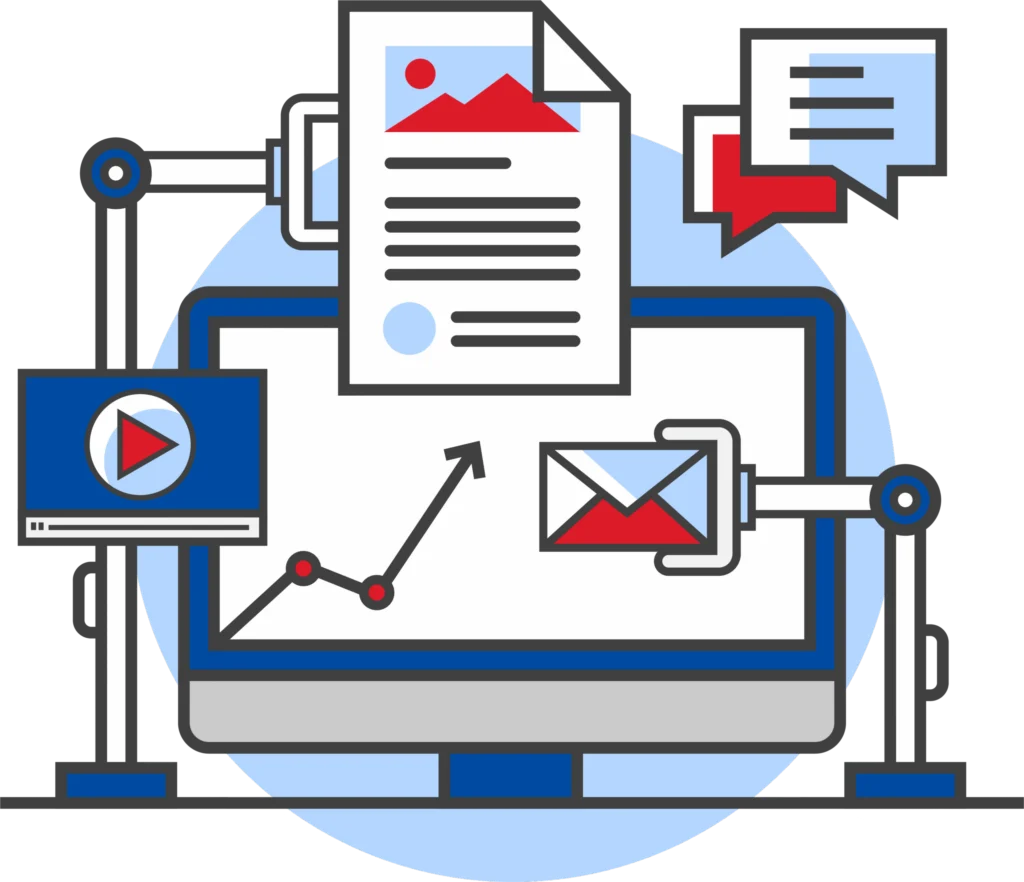
Ensure Responsible & Knowledgeable
Use of AI
Wondering how evolving security & compliance requirements play a role in AI implementation?
Our experts can help ensure AI platforms are integrated securely and used responsibly. From data privacy to regulatory frameworks, we’ll evaluate your AI strategy and help you move forward with confidence.

Why Choose Miles IT For AI Consulting?

Business & Technology Experts
We understand both business and technology, giving us unparalleled insights into the best ways AI tools can benefit your organization.

25+ Years of Experience
Our expert guidance and innovative solutions have helped a range of companies across the globe accomplish more for many years.
Our Solutions Fuel Our Own Success
We run our company on the same technology solutions we recommend—and experience tremendous results.

We Cross The Finish Line And Keep Going
Our team continues to provide support after project completion to ensure you’re fully set up for ongoing success.
HELPING PEOPLE ACCOMPLISH MORE
Our Raving Fans
We are not satisfied if you are just satisfied. We want you to be a Raving Fan as a result of providing the absolute best service!


GM R
“ParkNSave has worked closely with Miles IT for over a decade. Miles built the ParkNSave system in 2014 and continues to support the platform with a dedicated team. Each Miles Support/Development team member has outstanding diagnostic skills and customer service expertise. We are raving fans of Miles IT!”
Kevin McCarthy
“Outstanding experience! Very professional and thorough and I couldn’t be more impressed with Miles and their recommendations! John Horner is a rockstar. Look forward to continuing to work with miles tech on future projects!”
Cheyenne Alvis
“an absolutely Fabulous company to deal with. The analysts are experts at their craft. Fast, concise, professional and extremely reliable. I consider them in high value and recommended regard. Thank you again to the entire team at Miles.”
Frequently Asked Questions
What is AI Consulting?
AI consulting helps businesses turn AI tools and solutions into impactful business outcomes, like enhanced efficiency, productivity, and delivery of products & services. No matter where you are in your AI journey, consulting can help you move forward to the next step in the process.
Why is AI consulting important?
AI consulting helps ensure businesses are getting the most out of their AI solutions. Done right, it can lead to gains in productivity, efficiency, and profitability. Plus, it can improve customer engagement and the effectiveness of your products and services.
Many businesses are leveraging AI solutions, and taking an intentional approach can help you build competitive advantage and surpass others in your industry.
What is the difference between AI and automation?
AI provides tools for tasks like natural language processing and pattern recognition. On the other hand, automation involves automatically performing tasks, workflows, or other processes that could leverage AI as a part of them.
For instance, you could use automation to send emails to customers based on specific triggers. AI could analyze the contents of the emails and synthesize information like order numbers or customer details. Agentic AI combines these concepts into even more autonomous process automation; this could include following up on emails, identifying customer issues, and suggesting solutions or escalations where necessary.
How can AI consulting help ensure the scalability of my solutions as my business evolves?
AI consulting can help ensure scalability by designing your AI solution with a focus on future expansion. This involves careful planning of essential structural elements and integrations. It could also include recommending the best AI platforms that support growth.
Miles IT offers ongoing support after project completion to ensure your solution continues to succeed for you.
Can you help my business choose the right AI tools?
Yes! If you’re at the beginning of your AI journey, we can help you define your goals and choose the best AI solution for increased productivity and improved insights.
How do you ensure AI privacy and security?
Through our AI consulting services, we can provide guidance to your business to ensure AI platforms are integrated securely and responsibly. If your business needs to follow specific compliance frameworks, we can provide recommendations while keeping those in mind.
One solution is to create an AI Policy for your business that adheres to industry compliance requirements and security best practices. AI policies can help ensure your team uses AI securely and follows proper privacy standards.